
LOADING...
At 7:30 PM, just as Manoj returned home from work, he received a call from someone claiming to be from the electricity department.
At 7:30 PM, just as Manoj returned home from work, he received a call from someone claiming to be from the electricity department.
“Your electricity bill is overdue. If payment is not made within 30 minutes, your connection will be disconnected tonight.”
Manoj was surprised because he thought the bill had already been paid.
“I can help you avoid disconnection immediately. Please follow my instructions.”
The caller sent a link through SMS and asked Manoj to download a “payment verification app.”
The app was actually a remote access application that allowed the fraudster to view and control parts of Manoj’s phone.
As Manoj attempted to make a small payment, the fraudster watched the screen remotely.
Within minutes, unauthorized transactions totaling ₹18,500 were processed from his bank account.
Urgency – “Your power will be cut today.”
Authority – They claim to represent the electricity department.
Assistance – They offer to “help” complete the payment.
Many consumers panic and act before verifying the bill status.
As soon as he realized money had been debited, he:
Disconnected the phone from the internet.
Uninstalled the remote access app.
Called his bank and blocked digital banking services.
Reported the fraud on 1930.
Filed an online cybercrime complaint.
Saved screenshots of the SMS, app, and transaction alerts.
Fraudsters commonly ask victims to install apps such as screen-sharing or remote support tools.
Once installed, they may be able to:
See OTPs on the screen.
Watch UPI PIN entry patterns.
Access banking apps.
Initiate unauthorized transactions.
Never install a remote access app at the request of an unknown caller.
The caller threatens immediate disconnection.
You are asked to pay through a personal UPI ID.
A remote access app is suggested.
The caller pressures you not to contact the official helpline.
The message contains spelling mistakes or unofficial links.
Check the bill through the official electricity provider app.
Visit the official website directly.
Call the official customer care number printed on previous bills.
Verify the due amount independently.
Do not rely solely on a phone call or SMS.
Disconnect from mobile data and Wi-Fi.
Uninstall the app immediately.
Change banking and UPI passwords.
Block cards and digital payment services.
Call 1930 without delay.
Monitor all bank accounts for suspicious activity.
Many victims continue speaking with the fraudster even after noticing suspicious activity.
The safest response is to end the call immediately, disconnect the device, and contact the bank and cybercrime helpline.
“Electricity departments may send payment reminders, but they do not ask consumers to install remote access apps or share banking credentials over a phone call. Consumers should verify any disconnection notice through official channels before making payment.”
If someone calls saying “Your electricity connection will be disconnected tonight”:
Do not panic.
Do not install any app sent by the caller.
Verify the bill through official channels.
Never share OTPs, UPI PINs, or banking details.
Call 1930 immediately if money has already been transferred.
A few minutes of verification can prevent a fake disconnection threat from becoming a real financial loss.
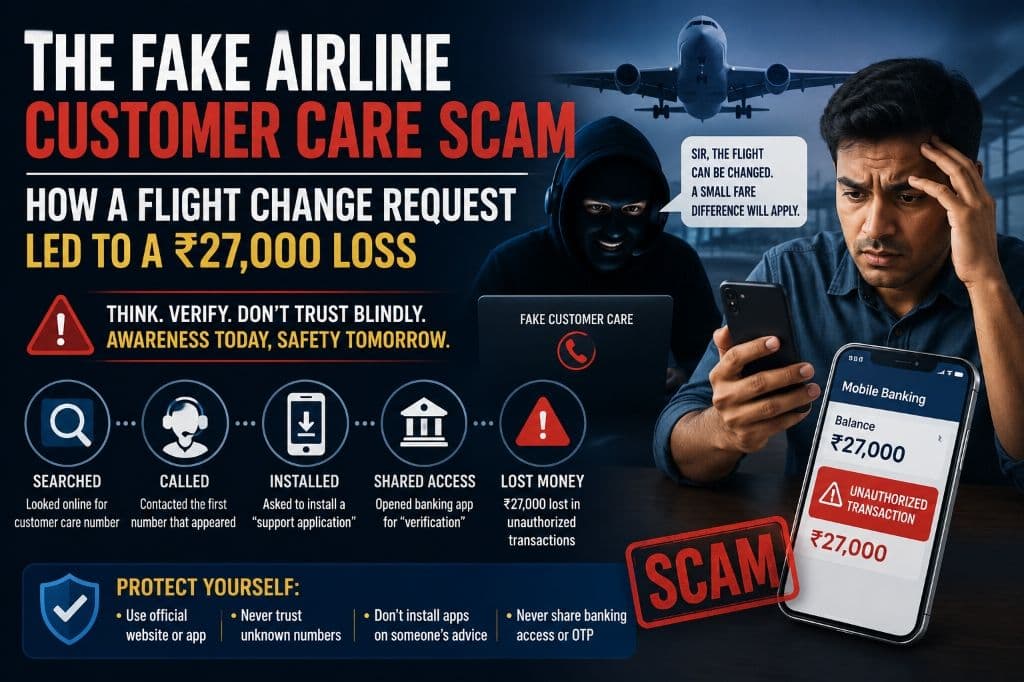
When Karan needed to reschedule a domestic flight, he searched online for the airline’s customer care number.
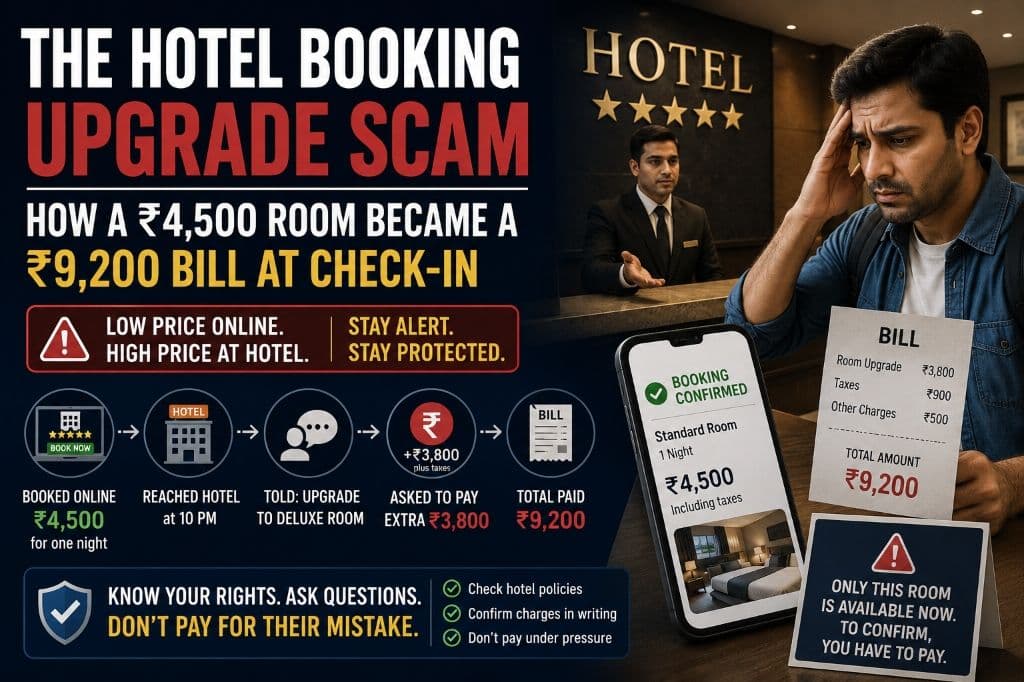
When Arvind booked a hotel through an online travel platform, the confirmation clearly showed ₹4,500 for one night, including taxes.