
LOADING...
When Vivek visited a shopping mall in Gurgaon, he paid little attention to the parking exit process. A laminated QR code was displayed near the payment counter with the words:
When Vivek visited a shopping mall in Gurgaon, he paid little attention to the parking exit process. A laminated QR code was displayed near the payment counter with the words:
“Scan & Pay Parking Fee – Fast Exit”
The parking charge was only ₹50.
Vivek scanned the code using his UPI app and completed the payment within seconds.
The app showed a successful transaction, and he drove away.
About twenty minutes later, Vivek received multiple SMS alerts from his bank.
₹3,000
debited
₹4,000
debited
₹5,000
debited
₹12,000
He had not made any additional payments.
When he returned to the mall, the parking staff informed him that their official QR code was different.
A fraudster had pasted a fake QR sticker over the genuine one.
The fake QR code directed the payment to a fraudster’s account instead of the parking operator.
In some cases, criminals also use:
Consumers believe they are paying a small fee, but the transaction is redirected to a fraudulent account.
Instead of waiting until the next day, he:
Called 1930, the cybercrime helpline.
Informed his bank about the fraudulent transactions.
Blocked further UPI transactions temporarily.
Took photographs of the fake QR sticker.
Saved all transaction IDs and SMS alerts.
Filed an online cybercrime complaint.
In UPI fraud cases, rapid reporting can help authorities:
Even a delay of a few hours can make fund tracing more difficult.
The sticker appears pasted over another code.
The print quality looks different.
The merchant name shown in the UPI app is unfamiliar.
The amount requested is higher than expected.
The QR code is damaged, tilted, or recently attached.
Check the merchant name displayed in your UPI app.
Compare the amount with the actual parking fee.
Ask the staff whether the QR code is official.
Avoid scanning codes that appear newly pasted.
Use card or cash if the QR code looks suspicious.
Call 1930 immediately.
Inform your bank.
Save all transaction IDs.
Take photos of the QR code.
File an online cybercrime complaint.
Report the fake QR code to the establishment.
CCTV request (if available)
Many people scan a QR code without checking the merchant name displayed on the payment screen.
The merchant name is often the last opportunity to detect the fraud before authorizing the payment.
“Consumers should treat QR codes as payment instructions, not merely as stickers. Before entering a UPI PIN, they should verify the merchant name and ensure that the code has not been tampered with. A few seconds of verification can prevent significant financial loss.”
Check whether the sticker appears genuine.
Verify the merchant name in your UPI app.
Confirm the payment amount.
Report suspicious QR codes immediately.
Call 1930 without delay if unauthorized transactions occur.
In digital payment fraud, a 10-second verification can save thousands of rupees.
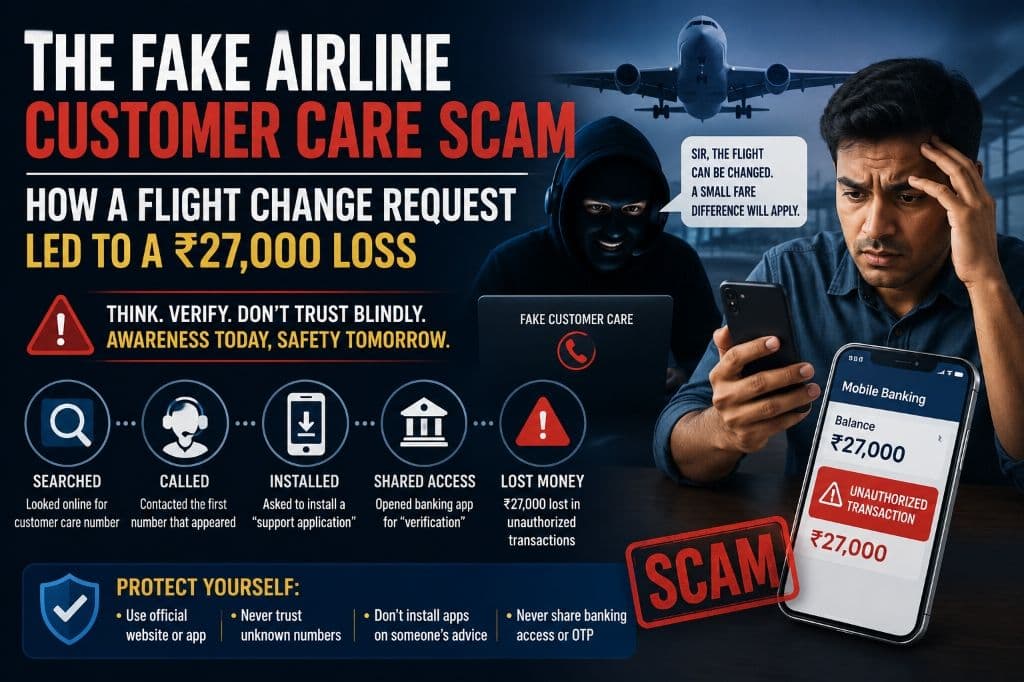
When Karan needed to reschedule a domestic flight, he searched online for the airline’s customer care number.
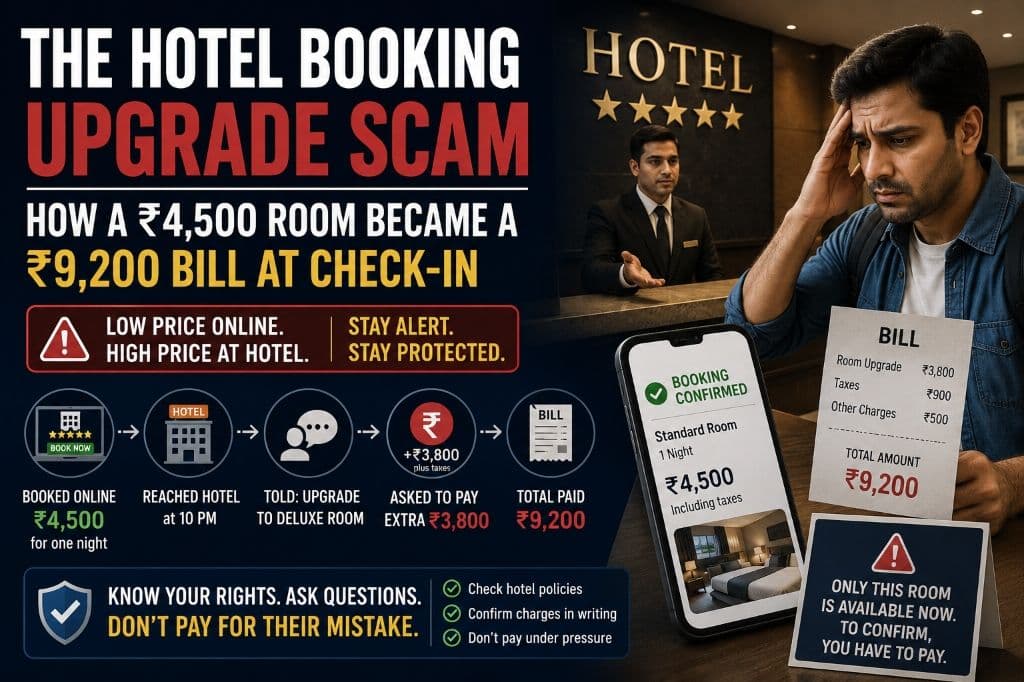
When Arvind booked a hotel through an online travel platform, the confirmation clearly showed ₹4,500 for one night, including taxes.